The AI music video generator you can try before you buy
Drop in a song and this AI music video generator cuts every template to your beat in seconds, right here. No sign-up.
2Choose your look Set once, used by every template
3Pick a template and generate
Whatever your genre,
there’s a template that fits
Every genre has its own cutting rhythm and camera language. Click a side card or a genre below to switch.
The carousel shows each template’s rhythm as an animated preview, not finished videos.
From one song
to a week of posts
Drop in a song and see it with visuals before you decide which clip to make. Below, real generated frames, a sample clip and charts walk through every step.
Everything you’d expect from an AI music video generator
Import, analysis, characters, lip sync and aspect ratios. Every character image below is a real generated keyframe.
Drop in a song
Upload an audio file to start. Links from the major music platforms are coming soon.
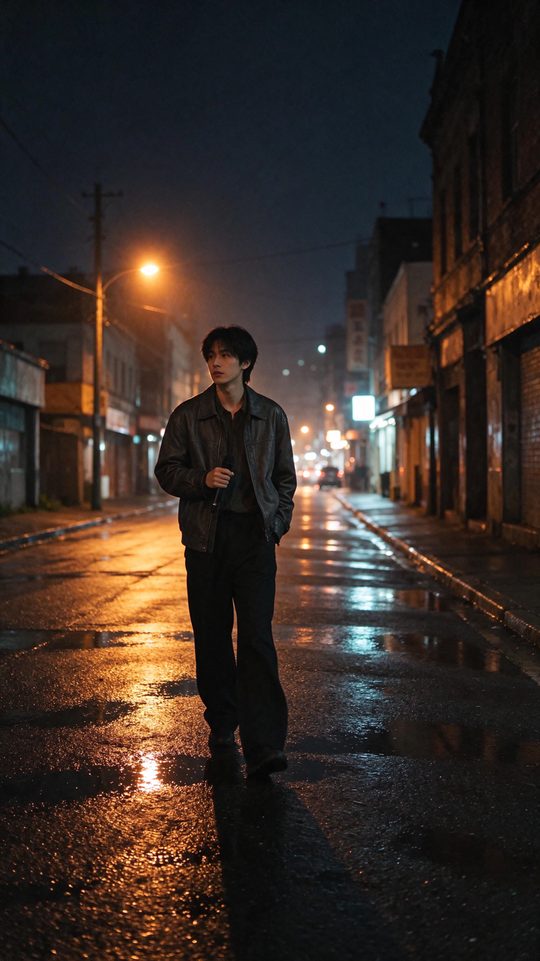
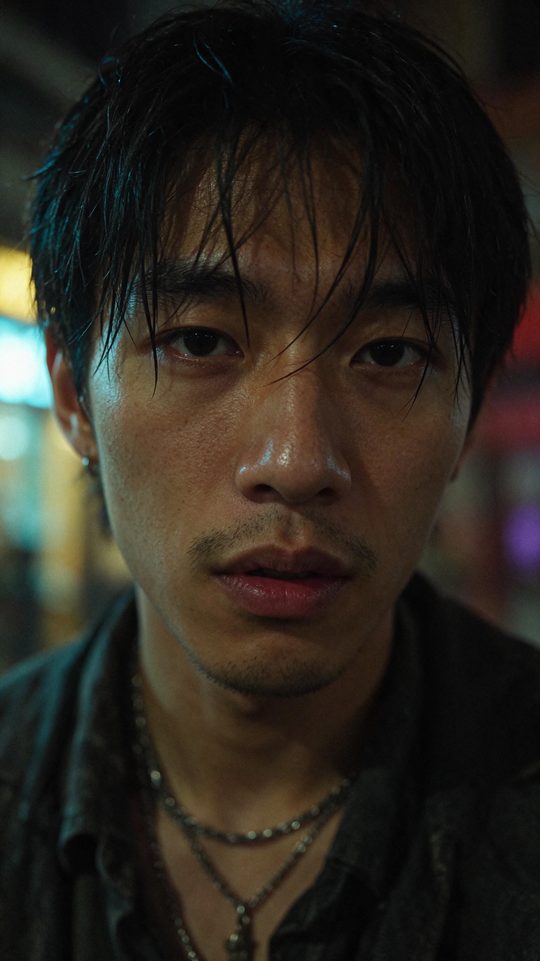
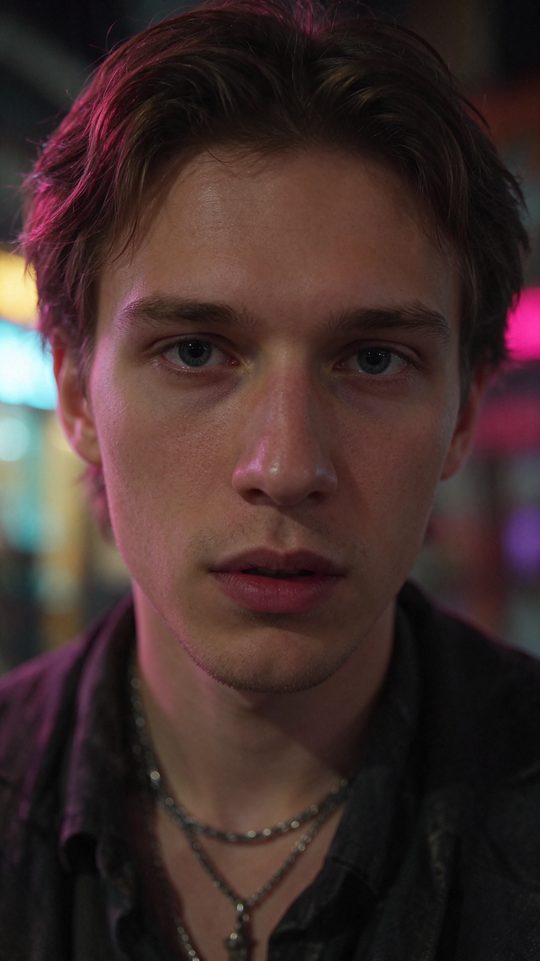
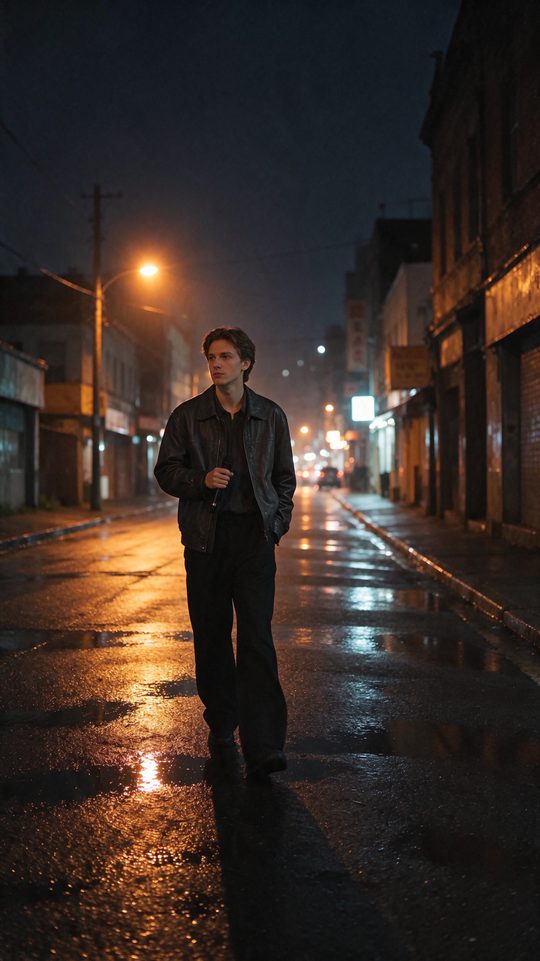
Same shot, different characters
Set your look once and every shot uses it. Far left is the template’s original; the three on the right are real results of swapping each character into the same shot.
It listens to your song first
Beats, bars, sections and highlight picks drive every edit that follows.
Figures are from the sample song.
Keyframes come to life
A real 5-second clip, generated straight from a try-on keyframe.
One render, three formats
Landscape for YouTube, vertical for Reels, Shorts and TikTok, square for cover art.


One keyframe, cropped to three formats.
See it first, then generate
Only step three uses expensive video generation. Steps one and two show you exactly what you’ll get, free.

① Rhythm preview
The template’s sample footage, re-cut to your song instantly.
PREVIEW② Character try-on
Your character placed into the keyframes, low-res and watermarked.
③ Generate when you’re happy
That same keyframe becomes the first frame of the final video.
Compute levels are relative, not measured.
Every template’s rhythm at a glance
Each column shows how many cuts land in that bar. Click a chart and the preview on the right plays in its rhythm; the lit column is the current bar.
View data table
Every feature,
hands-on
Each block below covers one feature with a live demo, all running in time with the song at the top of the page.
Set your look once: the same person in every shot
Upload a photo or pick a virtual character, once. Every template and every shot after that uses the same character, so faces don’t drift from cut to cut.
Try first, then generate
Rhythm previews and character try-ons are free. Video generation only runs once you’ve approved the keyframes and hit Generate.
Beat-based templates that show their work
A template stores “cut on beat N, move the camera like this”, not fixed seconds, so it fits slow songs and fast ones alike.
Every cut has a reason: the drums kick in, a vocal line starts, a section changes. No black box.

Your preview is your first frame
The try-on isn’t a separate mock-up. The keyframe you approve goes straight into the video model as the first frame of each shot.
Character, framing and color are locked in before anything is generated.
Finds your hook for you
We analyze the whole song and suggest the sections most worth clipping, with cuts on the beat. Today that means the loudest sections, measured from your audio; at launch it will tell choruses, hooks and instrumental breaks apart, and never cut mid-lyric.
Lyrics behind the artist, punching on the beat
Not subtitles stuck to the bottom. Big type sits between the artist and the background and pops on every accent.
Lip sync only where there’s singing
When a close-up lands on a vocal line, lip sync kicks in automatically. Wide shots, shots from behind and instrumental parts use regular generation: no twitching faces, no wasted compute.
One clip, three openings
Short-form videos live or die in the first few seconds. Every clip comes with three versions that open differently. Post them all and see which one holds viewers.
Failures retry. You never pay for them.
If a shot fails, it’s retried automatically on another model at no extra cost. If the retry fails too, the clip is free.
Drag the curve,
reshape the whole edit
Drag the dots up or down to raise or lower a section’s energy. Higher energy means faster cuts. The small ticks underneath are the cuts.
The starting curve comes from the sample song; how energy maps to shot length is still being tuned.
Like what you see?
Make your own in one tap
Every shared video carries a link back. Tap it and the template’s already picked; just add your own song.
Under the video: “Use this template for my song.”
You land on the try-on wall; add your song to preview.
Your post carries the same link, so every video brings the next one.
Try the button on the left: it picks the Pop Chorus template and takes you back to the top.
Stop paying just to see what you get
| Typical tools | Movamuse | |
|---|---|---|
| When you see results | After you pay to generate | Before you pay, on the try-on wall |
| What it costs | Credits burn; you see the cost after | One price per clip, shown up front |
| Failed renders | Can still cost credits | Auto-retried, free if it still fails |
| Your character across shots | Faces drift | One look, every shot |
| Edit rhythm | Black box, can’t change it | Every cut explained and adjustable |
“Typical tools” summarizes complaints about similar products in third-party reviews. It isn’t aimed at any one company and hasn’t been checked against official sites.
When renders fail, how many times do you pay?
Calculated from the billing rules, not measured. 1× is the price of one render.
View data table
Made for anyone who makes music

Independent artists
A fresh clip for every day of release week. No editing skills needed.

AI music creators
Made it in Suno or Udio? A link is all you need. Paste it in for visuals, with a virtual character if you’d rather stay off camera.

Social & content teams
Three openings per song: post them together, compare, then decide which one to push.
Love the clip? Grow it into a full music video
Your character, style and chorus shots carry straight over, up to 5 minutes.
Make the chorus once, use it all song
Repeat choruses reuse and re-cut existing shots, adding only a few new ones, so far less of the song needs generating.
One export, a week of posts
The full song in landscape, three vertical clips with different openings and a looping cover, packed together. It also cuts extra clips from the verses and bridge and lays them out as a week-long posting plan.
Video generation is almost here
You can already preview every template on your song. Leave your email and we’ll let you know the moment generation opens.
Only used to tell you when we launch. Unsubscribe anytime. See our privacy policy.
FAQ
What is an AI music video generator?
It’s a tool that turns a song into a video: it reads the music, including the tempo, the beats and the strongest sections, and edits the visuals to match. Here that analysis runs in your browser with the Web Audio API, so you can preview every template on your own track before any video is made. Generating the finished video is coming soon.
Will the final video match what I tried on?
Character, framing and color will: the try-on keyframe becomes the first frame of every shot. Motion can’t be known before generation.
Can I use songs made with AI?
Yes. Upload the audio file you exported from Suno or Udio (song links are coming soon). You’ll be asked to confirm you have the rights to use it.
Do I have to upload a real photo?
No, you can pick a virtual character. If you do upload a photo, it has to be you or someone who’s given you permission.
When can I generate videos?
Video generation is in final testing before launch. You can already preview every template on your song; join the waitlist and we’ll tell you the moment it opens.